How to Design an SEO-Friendly Website: Your Essential Guide
By Tzex Team
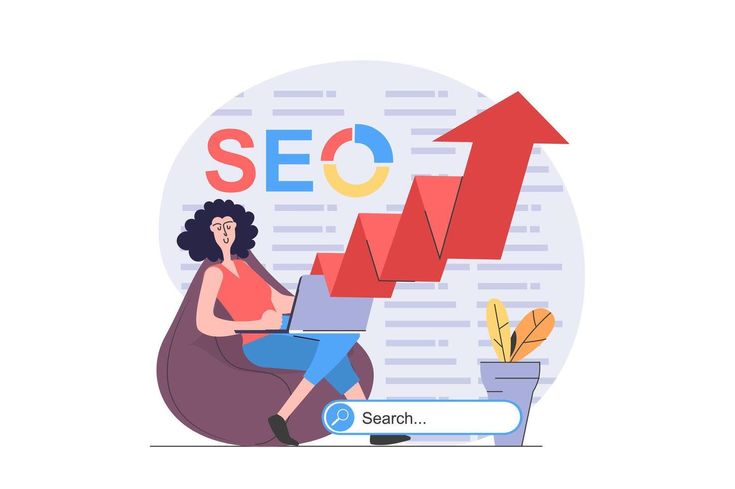
How to Design an SEO-Friendly Website: Your Essential Guide
In today's digital landscape, having a website isn't enough. To truly succeed, your website needs to be discoverable by search engines like Google. This means designing it with Search Engine Optimization (SEO) in mind from the ground up. An SEO-friendly website not only ranks higher in search results but also provides a better experience for your visitors.
Let's dive into the core principles of designing a website that search engines will love.
1. Laying the SEO Foundation: The Non-Negotiables
Before you even think about content, ensure your website has these fundamental SEO elements in place:
- Mobile-First Design: Google primarily uses the mobile version of your site for indexing and ranking. Your website must be fully responsive, adapting seamlessly to any screen size – from smartphones to large desktops.
- Blazing Fast Page Speed: Users and search engines alike despise slow websites. Optimize images, minify code (CSS, JavaScript), leverage browser caching, and consider a Content Delivery Network (CDN) to ensure your pages load in a flash.
- Secure with HTTPS: An SSL certificate (HTTPS) encrypts data, builds trust with your users, and is a small but significant ranking factor. Make sure your entire site is served over HTTPS.
- Exceptional User Experience (UX): A website that's easy to navigate, visually appealing, and provides clear calls to action will keep visitors engaged. Longer dwell times and lower bounce rates signal to search engines that your site is valuable.
- Crawlability & Indexability: Search engine bots need to be able to easily find and understand your content. This involves a logical site structure, a well-configured XML sitemap, and a
robots.txtfile that guides bots effectively without blocking important pages.
2. Structuring Your Site for Search Engines
A clear, logical website structure is like a well-organized library for search engines. It helps them understand the hierarchy and relationships between your pages.
- Clear Hierarchy: Aim for a shallow structure where users (and bots) can reach any page within 3-4 clicks from your homepage. Think:
Homepage -> Main Sections -> Subsections -> Individual Pages. - Strategic Internal Linking: Link related pages within your site using descriptive anchor text. This not only helps users discover more content but also distributes "link equity" throughout your site, boosting the authority of linked pages.
- XML Sitemap: Generate an XML sitemap and submit it to Google Search Console. This acts as a roadmap, telling search engines about all the pages you want them to crawl and index.
robots.txtFile: Use this file to instruct search engine bots which parts of your site they shouldn't crawl (e.g., admin pages, duplicate content). Be cautious not to accidentally block important public content.
3. The Power of Your Blog: Content and On-Page SEO
Your blog is a dynamic engine for attracting organic traffic. Here's how to optimize it:
- Smart Keyword Research: Before writing, identify what your target audience is searching for. Use tools like Google Keyword Planner to find relevant keywords, focusing on specific "long-tail" keywords that often have less competition and higher conversion potential. Understand the intent behind searches (are they looking for information, a product, or a solution?).
- High-Quality, Valuable Content: This is paramount. Create original, well-researched, and comprehensive articles that genuinely help your audience. Answer their questions, solve their problems, and offer unique insights. Aim for depth and authority.
- On-Page SEO Essentials for Every Post:
- Compelling Title Tags: Craft titles (under 60 characters) that are keyword-rich and accurately describe your post. This is what appears in search results.
- Enticing Meta Descriptions: Write concise summaries (under 160 characters) that encourage clicks. Include your main keyword naturally.
- Structured Headings (
H1,H2,H3): Use headings to break up your content, making it easy to read and scan. Your main blog post title should be anH1, withH2for main sections andH3for sub-sections. - Image Alt Text: Describe your images using relevant keywords in their alt text. This aids search engines in understanding image content and improves accessibility.
- Clean, SEO-Friendly URLs: Keep your URLs short, descriptive, and keyword-rich (e.g.,
yourdomain.com/blog/seo-friendly-website-design). Avoid dates or random strings of characters. - Internal & External Links: Link to other relevant pages on your site (internal links) and to authoritative external sources (external links) to provide more value and build credibility.
- Schema Markup: Implement
ArticleorBlogPostingschema markup to provide structured data to search engines, which can lead to eye-catching "rich snippets" in search results.
4. Organizing with Categories for SEO
Categories are vital for organizing your blog content, enhancing user navigation, and boosting your SEO efforts.
- Purpose: Categories group related blog posts, making your content library manageable for you and easy to explore for users. Critically, they create distinct, crawlable sections of your site, allowing you to target broader keywords.
- Keyword-Rich Names: Choose category names that are descriptive and include relevant keywords. Instead of generic terms, use phrases like "Digital Marketing Tips" or "Website Design Tutorials."
- Unique Descriptions: Each category page should have a unique, well-written introductory description (100-300 words). This text helps search engines understand the category's theme and can include relevant keywords.
- Clean URL Structure: Keep category URLs clean and descriptive, for example:
yourdomain.com/blog/category/digital-marketing. - Avoiding Duplicate Content: If a post belongs to multiple categories, use canonical tags to point to the preferred version (usually the original post URL). This prevents search engines from seeing multiple identical pages and penalizing your site for duplicate content.
5. Ongoing SEO: It's a Marathon, Not a Sprint
SEO is an continuous process.
- Regular Content Updates: Keep your blog fresh by regularly updating and refreshing old posts to ensure they remain accurate and relevant.
- Backlink Building: Earn high-quality backlinks from authoritative websites. These links are a strong signal of trust and authority to search engines.
- Monitor and Analyze: Use tools like Google Search Console to track your site's performance in search results and identify any issues. Google Analytics helps you understand user behavior, traffic sources, and more. Regularly review your data and adjust your strategy accordingly.
By meticulously applying these principles, you'll build a website and blog that is not only user-friendly but also highly optimized for search engines, leading to increased organic visibility and traffic.
More from Our Blog
The Ultimate Guide to Choosing the Right Web Devel...
January 2, 2026 | Web Development
Choosing the right web development framework can make or break your project's success. With countles...
Read More
SEO Action Plan 2025: Practical Steps for Web Desi...
July 21, 2025 | SEO, Technical SEO, Core Web Vitals
SEO Action Plan 2025: Practical Steps for Web Designers & SEO ProfessionalsThe search landscape...
Read More
Best AI Tools for Marketers: ChatGPT, Jasper, Surf...
July 20, 2025 | Best AI Tools for Marketers
Best AI Tools for Marketers: ChatGPT, Jasper, Surfer & MoreArtificial intelligence is transformi...
Read More